DSL Reference & Demo
All 37 extensions of the CMS PortalViewer — live rendered with detailed explanations, realistic content and practical usage examples for content authors.
Block Directives
Block directives are the most powerful building blocks of the CMS Markdown DSL. They enclose content with :::name{attrs} at the beginning and ::: at the end, producing complex, structured layouts. From multi-column text to interactive tabs to collapsible accordions — block directives transform simple Markdown into rich, interactive documentation pages.
A total of 21 block directives are available. Each directive has a unique name, optional attributes in curly braces and can contain any Markdown content — including other directives, code blocks, tables, math and images.
Block directives are parsed by the
remark-directiveplugin as container directives and mapped to the corresponding React components by theCMSViewervia thegetDirectiveRendererfunction. The mapping is based on the name after the:::prefix.
Columns
The column layout is one of the most frequently used elements. With :::columns{cols=N} and ::col as separator, content can be displayed side by side. The columns are fully responsive — on mobile devices they are automatically stacked vertically, on desktop displayed side by side. Each column can contain any Markdown content: text, code blocks, images, lists, tables and even nested directives.
The cols attribute accepts values from 2 to 4. The default is 2 columns. The underlying CSS grid distributes the available width evenly across all columns with a consistent gap of 1.5rem between columns.
Backend Architecture — The server is written in C++20 and uses EnTT as its Entity-Component-System framework. All game states are held in a flat, cache-friendly data structure. Systems iterate over views that are created on demand and are extremely efficient.
void MovementSystem::tick(Registry& r, float dt) {
    for (auto [e, pos, vel] : r.view<Position, Velocity>().each()) {
        pos.x += vel.dx * dt;
        pos.y += vel.dy * dt;
        pos.z += vel.dz * dt;
    }
}
The strict separation of data and logic makes it possible to process millions of entities per frame without performance degradation. Each system is stateless — there are no member variables, no hidden dependencies and no side effects between systems.
Frontend Architecture — The client uses TypeScript with React 18 and React-Three-Fiber for 3D rendering. The client-side ECS is based on becsy and maintains parity with the backend: shared components exist 1 on both sides.
@system(s => s.after(NetworkInputSystem))
export class MovementSystem extends System {
    private readonly query = this.query(
        q => q.current.with(Position, Velocity).write
    );

    execute(): void {
        for (const entity of this.query.current) {
            const pos = entity.write(Position);
            const vel = entity.read(Velocity);
            pos.x += vel.dx * this.delta;
        }
    }
}
Communication between client and server uses WebRTC DataChannel — unreliable for high-frequency position updates, reliable for events like chat messages or inventory changes.
Cards
Cards are excellent for feature overviews, module descriptions or conceptual summaries. Each card has a NerdFont icon and a title as header, followed by a short description as body text. The cols attribute of the :::cards container determines the column count (default: 3). Cards use a Compose-style layout with hover animation and subtle border highlighting.
An entity is just an ID — a lightweight uint32_t handle with no data or behavior of its own. Entities gain their capabilities solely through attaching components. Entity 0 is valid; UINT32_MAX is used as the null value.
Components are pure data structures: only fields, no methods, no behavior. They are header-only (no .cpp file), use exclusively zero-initialization and contain no arrays (entity-per-item pattern instead).
Systems are stateless processing logic: no member variables, views are created on demand. They never communicate directly with each other — the only communication channel is components in the ECS registry.
The Hub is the central data layer for inter-module communication. All modules read via hub::get() and write via hub::set(). No module communicates directly with another — everything flows through the Hub.
The scheduling system organizes 66 schedules across 21 tiers. Each system is assigned to a schedule and can declare dependencies on other systems via .run_after("SystemName").
Plugins are optional, hot-loadable extensions on Layer 4. They add new systems and components without modifying the core. Examples: ase-pl-sky (sky), ase-pl-erosion (erosion), ase-pl-predator (AI).
Figure
With :::figure images can be embedded with captions and optional positioning. The align attribute supports left, right and center — with left and right the image is floated, allowing surrounding text to flow alongside it. The width attribute accepts any CSS length value. The caption is automatically extracted from the last *italic* element within the container.
Full Width (Default)
Without a width attribute the figure uses the entire available width of the container — ideal for banners, panoramas and background images.
 The official banner of the Antares Simulation Engine — a persistent multiplayer world with billions of entities, real physical simulations and full terraforming support
Reduced Width (60%)
With width="60%" the image is displayed centered with limited width — suitable for screenshots and detail shots.
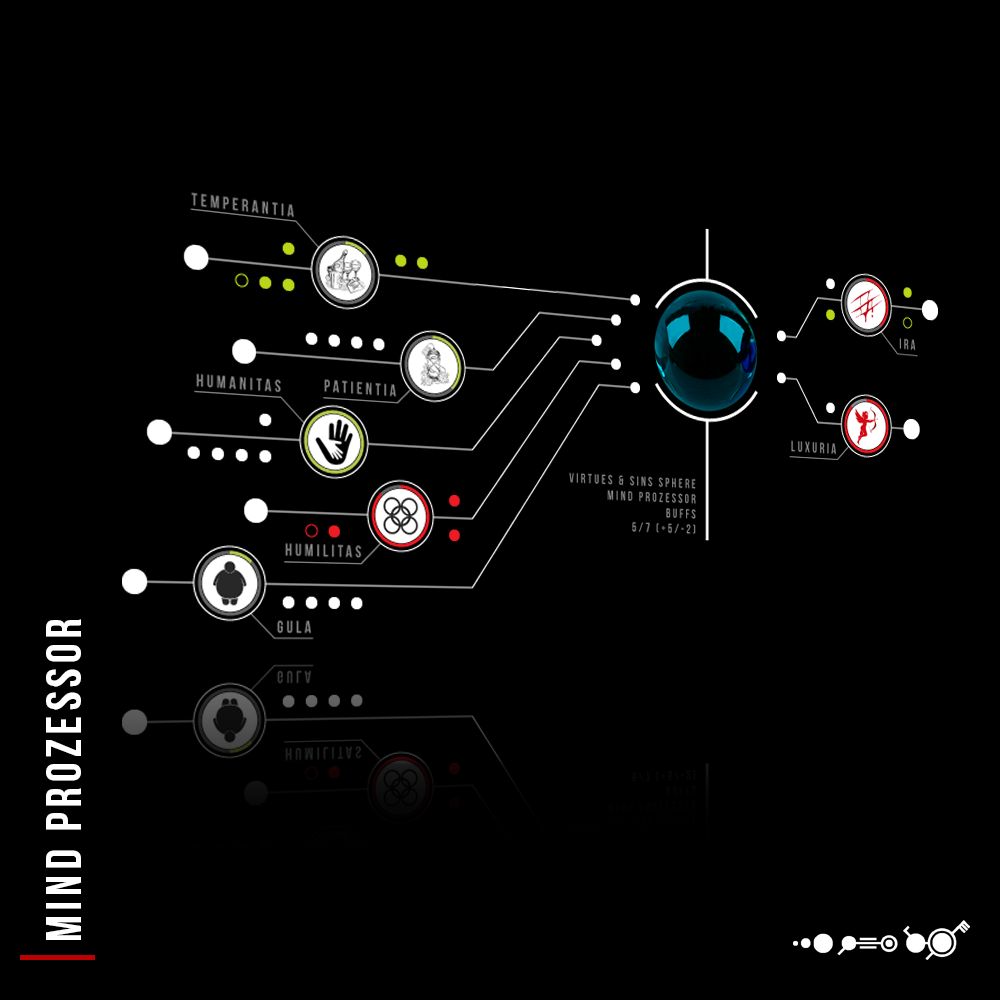 Emotion analysis module — AI-powered detection and simulation of emotional states for NPCs and creatures in the game world
Floated Left
With align="left" the image is floated left and text flows to its right. Ideal for inline illustrations within paragraphs.
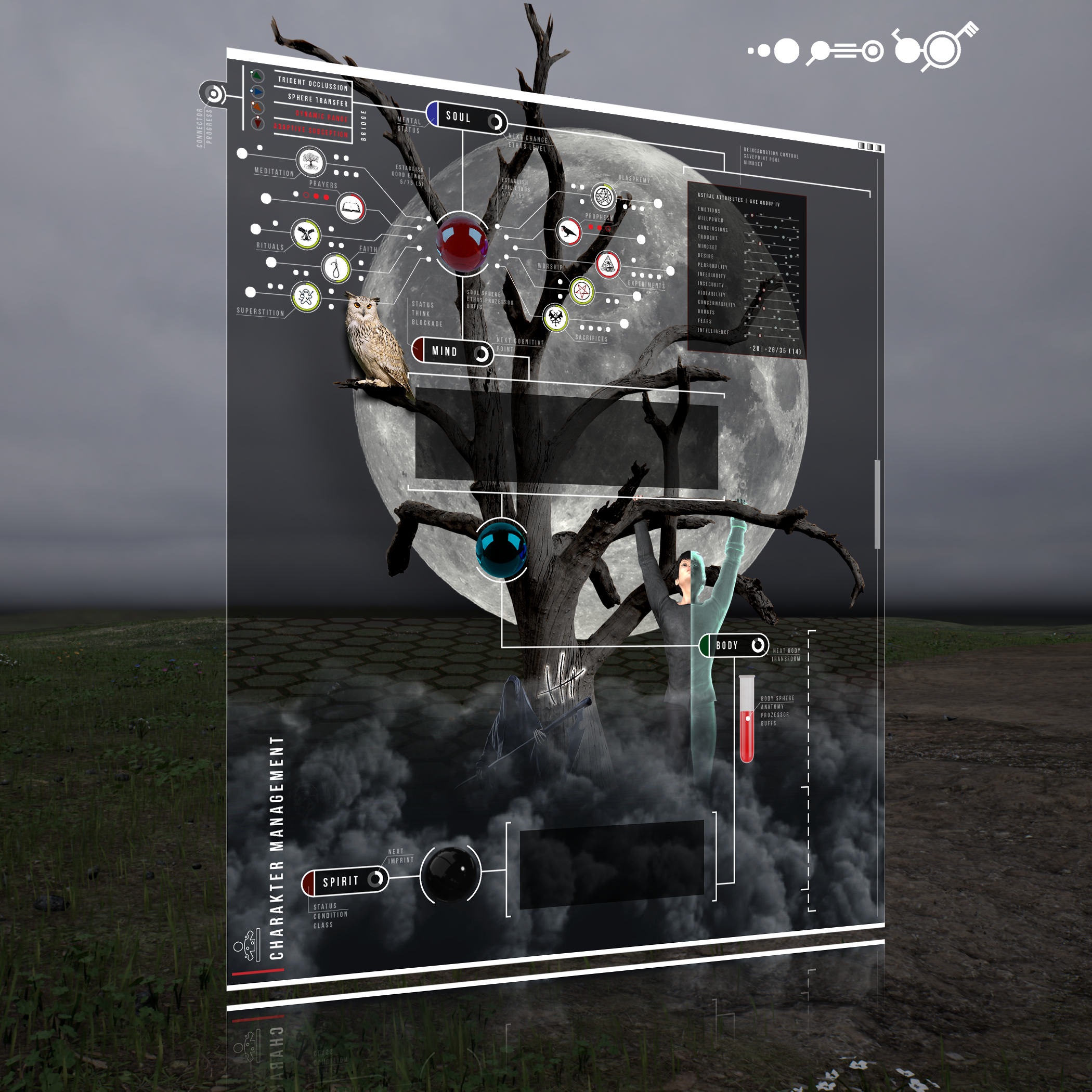 Lakeside property — procedurally generated architecture at the waterfront
The building simulation in ASE allows players to place structures at any point in the world. Through the entity-per-item pattern, each building element — every wall, every window, every door — is managed as its own entity. This enables precise physics interactions, selective destruction and dynamic lighting changes per element. Terrain modifications are persistently saved and replicated to all connected clients via the Hub. The combination of voxel-based terrain and entity-based architecture creates a seamless transition zone between natural landscape and player-built structures.
Floated Right
With align="right" text flows to the left of the image. Useful for supplementary visualizations.
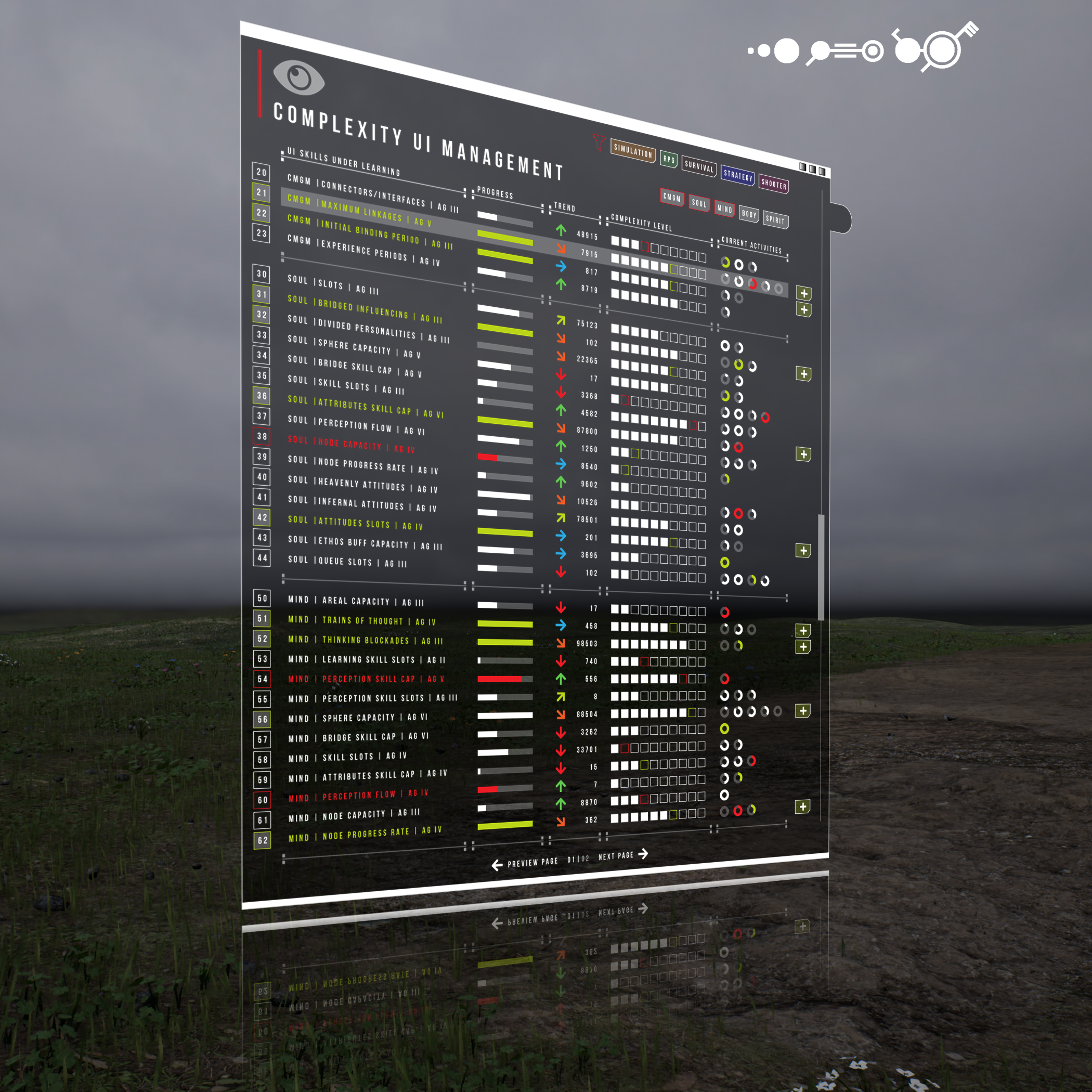 Horse armor — modular equipment pieces as entity composition
The equipment system in ASE strictly follows the entity-per-item pattern: each piece of armor is its own entity with a reference to the wearer. A horse with full armor consists of dozens of linked entities — helmet, breastplate, leg guards, saddle, reins — that can be independently damaged, repaired or replaced. Tags control visibility and behavior: EquippedTag, DamagedTag, EnchantedTag. No arrays, no count fields — pure entity composition.
More Project Images
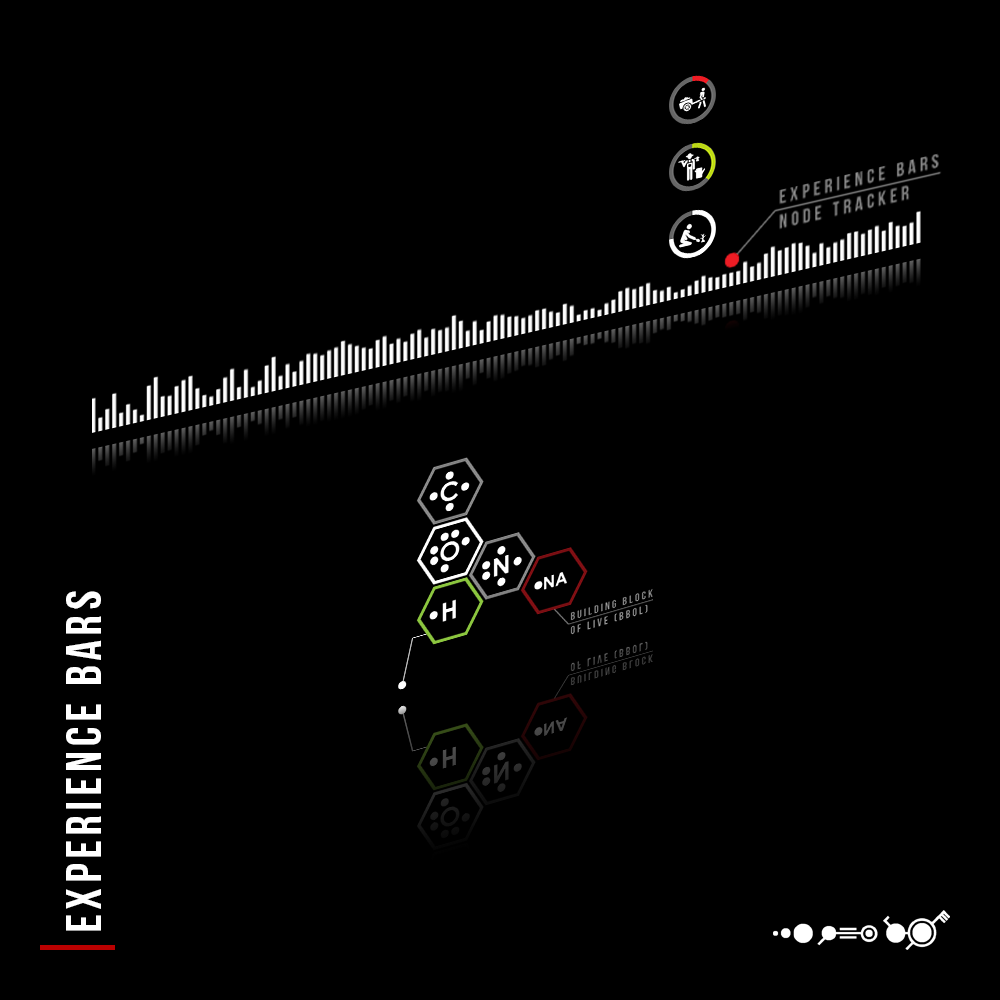 Living Atlas — dynamic world map with real-time biome visualization and player markers
 Pledge system — community rewards and progress tracking for early supporters
 Private island — exclusive player area with its own chunk management and terraforming rights
Aside
The aside directive creates a stylized sidebar for supplementary information, background knowledge or interesting facts that should not interrupt the main text flow. The optional title attribute appears as the heading of the box. Aside blocks have a subtle left border in PANEL_CYAN and a slightly elevated background.
The Antares Simulation Engine is named after the brightest star in the constellation Scorpius — Antares, a red supergiant with 700 times the diameter of our Sun. The name symbolizes the ambitious vision of the project: a simulation world where every leaf, every bacterium and every raindrop exists as its own entity. The target is over one billion simultaneous entities with real-time physics.
The first prototype was created in early 2024 as a pure ECS experiment with EnTT. Within a few months the project grew into a complete engine with a 6-layer architecture, 66 schedules, Hub-based communication, WebRTC multiplayer and a trilingual CMS system with 37 DSL extensions.
Gallery
The gallery directive creates a responsive image grid. With the lightbox flag attribute (no value) a fullscreen lightbox is activated — clicking an image opens it as an overlay across the entire page with a dimmed background. Navigation between images uses arrow keys or clicking forward/backward areas. The cols attribute determines the column count (default: 3).
Author
The author directive creates a professional profile card with avatar image, name and role. Ideal for documentation pages, blog entries or team introductions. The body text appears as a biography below the name. All three attributes (name, avatar, role) are rendered as separate UI elements.
Creator and architect of the Antares Simulation Engine. Responsible for the entire ECS architecture, the Hub system for inter-module communication, the 66-schedule tiered scheduling system and the 6-layer architecture with strict isolation boundaries. Focus areas: data-oriented design, cache-optimized iteration over millions of entities, and the vision of a persistent world where every object — from rocks to bacteria — is its own entity.
Accordion
Collapsible sections with :::accordion as container and ::panel{title="..."} as marker for each panel. Only one panel is open at a time — opening a panel automatically closes the previously opened one. The title appears as a clickable bar with a plus/minus icon. The content becomes visible only when expanded and is smaller than the header text for clear visual hierarchy.
An entity is the most fundamental unit in the ECS pattern. It is nothing more than a numeric ID — a uint32_t handle with no data, no methods and no behavior of its own. The meaning of an entity is determined solely by the components attached to it. An entity with PositionComponent and VelocityComponent becomes a movable object; with TerrainChunkComponent it becomes a terrain piece. This radical simplicity makes it possible to manage billions of entities simultaneously, as they create zero overhead.
Important: Entity 0 is a valid entity! UINT32_MAX is used as the null value (invalid), defined as InvalidEntityId in the types.hpp files of the respective modules.
A component is a pure data structure in the ECS pattern. Components contain exclusively fields — no methods, no constructors with logic, no behavior of any kind. They are defined header-only (no .cpp file) and use exclusively zero-initialization (= 0, = 0.0f, = false, = {}).
Components follow strict rules: no arrays (entity-per-item pattern instead), no std::string (fixed char[N] arrays instead), no std::vector or other STL containers (ase-containers instead). Each component should be as small and focused as possible — a single field per component is often optimal for cache performance.
A system is stateless processing logic in the ECS pattern. Systems have no member variables, no hidden states and no side effects between calls. They create views on demand with registry.view<A, B>() and iterate over all entities that possess the requested components.
The golden rule: systems NEVER communicate directly with each other. The only communication channel is components. System A writes results into a component; System B reads those results in the next tick. The execution order is controlled via schedules and .run_after() declarations, not via direct calls.
The Hub is the central data layer for inter-module communication. Instead of modules accessing each other directly (which would violate the isolation boundaries), all modules read and write through the Hub: hub::get() for read access and hub::set() for write access.
The Hub is based on a key-value store with type-safe access. Keys are defined as uint32_t hashes (via entt::hashed_string), values can be primitive types or serialized structures. The Hub broadcast system (HubNetBctReqSystem + HubNetBctSndSystem) automatically replicates Hub changes over the network to all connected clients.
The ASE schedule system organizes the execution order of all systems in 66 schedules distributed across 21 tiers. Each tier has a fixed position in the execution pipeline — from Initialization (Tier 0) through Dynamics (Tier 9) to Replication (Tier 16) and Cleanup (Tier 20).
Systems are assigned to a schedule in their module and can declare dependencies: .run_after("OtherSystem") guarantees that a system runs only after the named system has executed. This declarative scheduling method replaces the imperative call order of traditional game loops and enables automatic parallelization of independent systems.
Tabs
Tabs are ideal for platform comparisons, language variants or alternative implementations of the same concept. Each tab has a label attribute that is displayed as the tab text. Only the currently selected tab shows its content. Tabs can contain any Markdown content, including code blocks, tables and nested directives.
The tab system uses internally a similar grouping pattern as the accordion: ::tab{label="..."} is a leaf directive whose following content is automatically assigned to the respective tab.
// Component: pure data structure, header-only
struct TerrainChunkComponent {
    float height_map[64 * 64] = {};  // 64x64 height map
    uint32_t chunk_x = 0;            // Chunk position X
    uint32_t chunk_z = 0;            // Chunk position Z
    bool dirty = false;               // Change flag
};

// System: stateless logic
class TerrainMutSystem : public ecs::System {
public:
    const char* name() const override { return "TerrainMutSystem"; }

    void tick(Registry& registry, float dt) override {
        auto view = registry.view<TerrainChunkComponent, TerrainMutReqComponent>();
        for (auto [entity, chunk, req] : view.each()) {
            apply_heightmap_mutation(chunk, req);
            chunk.dirty = true;
            registry.remove<TerrainMutReqComponent>(entity);
        }
    }
};
The backend uses EnTT as ECS framework. Components are POD structs (Plain Old Data) with zero-initialization. Systems inherit from ecs::System and override the tick() method. Views are created on demand and are extremely cache-friendly.
// Component: becsy declaration with @field decorators
@component
export class TerrainChunkComponent {
    @field.float32 declare heightMap: Float32Array;
    @field.uint32 declare chunkX: number;
    @field.uint32 declare chunkZ: number;
    @field.boolean declare dirty: boolean;
}

// System: becsy system with queries as class members
@system(s => s
    .after(TerrainNetworkInputSystem)
    .inAnyOrderWithWritersOf(TerrainChunkComponent)
)
export class TerrainRenderSyncSystem extends System {
    private readonly dirtyChunks = this.query(
        q => q.current.with(TerrainChunkComponent).write
            .addedOrChanged
    );

    execute(): void {
        for (const entity of this.dirtyChunks.current) {
            const chunk = entity.write(TerrainChunkComponent);
            if (chunk.dirty) {
                this.updateMesh(chunk);
                chunk.dirty = false;
            }
        }
    }
}
The client uses becsy as ECS framework. Components are declared with @component and @field decorators. The declare keyword is mandatory. Queries are defined as class members, not in methods. The scheduling declaration is made in the @system() decorator.
// Modules write to the Hub (ase-pl-sky)
void SkyCalcSystem::tick(Registry& r, float dt) {
    auto view = r.view<SkyManagerTag, SkyStatComponent>();
    for (auto [e, stat] : view.each()) {
        // Write results to Hub
        hub::set("sky.sun_altitude", stat.sun_altitude);
        hub::set("sky.brightness", stat.zenith_brightness);
        hub::set("sky.temperature", stat.color_temperature);
    }
}

// Other modules read from the Hub (ase-terrain)
void TerrainLightSystem::tick(Registry& r, float dt) {
    float sun_alt = hub::get<float>("sky.sun_altitude");
    float brightness = hub::get<float>("sky.brightness");
    // Terrain lighting based on sky data
    auto view = r.view<TerrainChunkComponent, TerrainLightComponent>();
    for (auto [e, chunk, light] : view.each()) {
        light.ambient = calculate_ambient(sun_alt, brightness);
    }
}
The Hub is the only allowed communication channel between modules. No module imports or references another directly. hub::set() writes values, hub::get<T>() reads them type-safely. The HubNetBctReqSystem automatically serializes changes for network replication.
{
    "module": "ase-terrain",
    "layer": 3,
    "dependencies": ["ase-ecs", "ase-math", "ase-hub"],
    "systems": [
        {
            "name": "TerrainChkSystem",
            "schedule": "Dynamics",
            "tier": 9,
            "reads": ["TerrainChunkComponent"],
            "writes": ["TerrainChkResultComponent"]
        },
        {
            "name": "TerrainMutSystem",
            "schedule": "Dynamics",
            "tier": 9,
            "run_after": "TerrainChkSystem",
            "reads": ["TerrainMutReqComponent"],
            "writes": ["TerrainChunkComponent"]
        }
    ],
    "hub_outputs": [
        "terrain.chunk_count",
        "terrain.active_mutations",
        "terrain.loaded_area"
    ]
}
The module configuration defines layer membership, dependencies, systems with their schedules and Hub I/O declarations. This metadata is used by the codegen system to automatically generate TypeScript client code, network serialization and broadcast systems.
Timeline
The timeline directive creates a vertical timeline with dates, icons and description texts. Each ::event has a date attribute (freely formattable text) and an optional icon attribute (NerdFont icon name). Events are visually connected by a vertical line and displayed in the order of their definition.
Project Start — The first ECS prototypes are created with EnTT and C++20. Fundamental architectural decisions are made: data-oriented design, strict layer separation, components as pure data without behavior. The first entity completes its first tick.
Persistence Layer — Integration of MongoDB for chunk storage and Neo4j Aura for scene graphs and inventory hierarchies. All active entities live in RAM; databases serve exclusively for persistence, not for real-time queries.
Multiplayer Integration — WebRTC DataChannel enables real-time peer-to-peer communication in the browser. Two channel modes: unreliable for high-frequency position updates (packet loss acceptable), reliable for events like chat, inventory and terraforming.
Hub Architecture — Introduction of the Hub system as the central data layer. All inter-module communication flows through the Hub. No module imports another directly. The HubNetBctReqSystem and HubNetBctSndSystem replicate changes automatically over the network.
Schedule System — Implementation of the tiered scheduling system with 66 schedules across 21 tiers. From Initialization (Tier 0) through Dynamics (Tier 9) to Cleanup (Tier 20). Declarative dependencies via .run_after() replace imperative call orders.
CMS PortalViewer — The trilingual CMS viewer with 37 DSL extensions goes live. Compose-style cards, interactive accordions, tabs, timelines, Mermaid diagrams, KaTeX math and NerdFont icons — all generated from simple Markdown.
Quote
Stylized quote with author attribution. The :::quote directive creates a visually prominent quote box with a large left quotation mark, the quote text and an author line with name and role. Ideal for mottos, design principles or impactful statements.
Everything is entity, component or system. No exceptions. Strict separation of data and logic — that is the golden rule. If you wonder whether something should be a component or a system: if it stores data, it's a component. If it processes data, it's a system. There is no third way.
Stats
Large number tiles for impressive metrics and KPIs. Each ::stat has a value (the large number), a label (description), an icon (NerdFont) and a color (from the PANEL_* palette). The grid adapts via the cols attribute. Stats are excellent for dashboard-style overviews at the top of a page.
Steps
Numbered step sequences with automatic numbering. Ideal for tutorials, installation guides or workflows. Each ::step{title="..."} marks the beginning of a new step — the following content is displayed as the step description. Numbering happens automatically and follows the order of definition.
Make sure the following tools are installed: CMake 3.24+, a C++20-compatible compiler (GCC 12+, Clang 15+ or MSVC 19.30+), Node.js 18+ and npm 9+. On Linux systems, the development packages for OpenSSL and zlib are additionally required.
git clone git@github.com:antarien/ase.git && cd ase
The repository uses Git submodules for separating core, modules, plugins, client and documentation. After cloning, submodules must be initialized: git submodule update --init --recursive.
cmake -B build -DCMAKE_BUILD_TYPE=Release && cmake --build build --parallel
The build process compiles all modules, plugins and the game server. The first build takes longer as dependencies (EnTT, spdlog, nlohmann/json) are automatically downloaded and compiled. Subsequent builds are incremental and significantly faster.
cd clients/ase-client-web && npm install && npm run dev
The development server starts at http://localhost:5173 with Hot-Module-Replacement. Changes to React components are immediately reflected in the browser without requiring a reload.
./build/bin/ase-server-game --http-port 8080
The server listens on port 8080 for HTTP API requests and automatically starts WebRTC signaling for multiplayer connections. Use --log +DBG +TIM for detailed logging during development.
Open http://localhost:5173 in the browser. The client connects automatically to the local server. Press for the browser console and for a hard refresh if client behavior is unexpected.
Compare
Side-by-side comparison of two options. The highlight flag attribute highlights the preferred option with a cyan-colored border. Ideal for architectural decisions, technology comparisons or pro/con juxtapositions. Each ::option contains a list with NerdFont icons for visual assessment.
- Cache-friendly iteration over contiguous memory blocks
- Data-oriented design without inheritance hierarchies
- Composable entities through dynamic component assembly
- Stateless systems enable easy testing and parallelization
- Billions of entities without performance degradation
- Hot-loadable plugins without engine restart
- Cache-unfriendly memory access through pointer indirection
- Deep inheritance hierarchies with fragile base class coupling
- Tight coupling between objects through direct references
- Hidden state in object instances complicates debugging
- Scaling issues beyond thousands of objects
- Monolithic architecture complicates extensions
Team
Team member cards with avatar, name and role. The cols attribute of the :::team container determines the column count (default: 4). Optional link attribute for external profiles.
Changelog
Version block with colored labels for different change types. The version attribute shows the version number, date the release date. In the body, changes are listed as items — items with Added receive green color, Fixed orange and Changed cyan. This coloring happens automatically based on the bold prefix text.
- Added CMS PortalViewer with 37 DSL extensions for rich documentation pages
- Added Compose-style interactive cards with grid layout and hover animations
- Added Parallax star field in Constellation navigation
- Added Hub-based broadcast architecture for network replication
- Fixed Badge rendering for inline usage of multiple badges on one line
- Fixed Accordion panel grouping with content assignment
- Fixed Footer section for long documentation pages
- Changed Colors SSOT migration — all CMS colors from central colors.ts
- Changed Schedule system expanded to 66 schedules across 21 tiers
Matrix
Structured comparison table with named columns and rows. Column headers are defined via the cols attribute as a comma-separated list. Each ::row has named attributes corresponding to the columns (lowercase). Values starting with nf- are automatically rendered as NerdFont icons — ideal for status indicators.
Terminal
Terminal block with dark background and green command lines. Lines starting with $ are highlighted as input commands with green prompt color. All other lines are displayed as program output in light gray. The title attribute appears as a window bar above the terminal content.
./bin/ase-server-game --http-port 8080 --log +DBG +TIM +TICK -BCT [ASE] [SERVER] Initializing 6-layer architecture... [ASE] [SERVER] Layer 0: ase-math, ase-types, ase-utils loaded [ASE] [SERVER] Layer 1: ase-ecs, ase-log, ase-hub loaded [ASE] [SERVER] Layer 2: ase-kernel initialized [ASE] [SERVER] Layer 3: 8 modules registered [ASE] [SERVER] Layer 4: 3 plugins hot-loaded [ASE] [SERVER] 66 schedules registered across 21 tiers [ASE] [SERVER] Hub store initialized with 2,048 keys [ASE] [SERVER] WebRTC signaling ready on port 8081 [ASE] [SERVER] Listening on http://0.0.0.0:8080 [ASE] [SERVER] 1,000,000 entities loaded from MongoDB curl -s http://localhost:8080/api/player/spawn -X POST -d '{"name":"TestPlayer"}' | python -m json.tool { "entity_id": 1000001, "position": {"x": 0.0, "y": 64.0, "z": 0.0}, "chunk": {"x": 0, "z": 0} }
Code (File Style)
Code block with VS Code-style filename tab at the top. Ideal for displaying source code files with context. The file attribute shows the filename as tab label, lang determines syntax highlighting. Differs from regular fenced code blocks through the visual filename header.
#pragma once
#include
/// Runtime state for terrain chunk layer data. /// Written by TerrainChkSystem, read by TerrainMutSystem. struct TerrainStChkLyrComponent { float base_height = 0.0f; // Terrain base elevation (meters) float moisture = 0.0f; // Soil moisture [0..1] float temperature = 0.0f; // Surface temperature (Kelvin) uint32_t biome_hash = 0; // Biome identifier (hashed string) uint8_t erosion_level = 0; // Erosion state [0..255] bool needs_recalc = false; // Dirty flag for dependent systems };
Callout (Custom)
Custom callout box for cases where the four standard callouts (INFO, WARNING, TIP, NOTE) are not sufficient. The color is chosen from the PANEL_* palette, the icon is any NerdFont icon. Ideal for experimental features, deprecation notices or special categories.
The functions described in this section are under active development. API signatures, Hub keys and component structures may change between minor versions without notice. Production use is recommended only from version 1.0.0. Feedback and bug reports are welcome at github.com/antarien/ase/issues.
Leaf Directives
Leaf directives stand as single lines with ::name{attrs} and produce standalone UI elements without enclosed content. Unlike block directives, they have no closing ::: and no body text. They are treated as block-level elements by the Markdown parser (own line required), but can also be used inline through badge preprocessing.
A total of 10 leaf directives are available — from colored badges to progress bars to video embeds and download buttons.
Badge
Colored inline labels with angular design. Multiple badges on one line are displayed side by side. Available colors correspond to the PANEL_* palette: cyan, green, orange, purple, red, yellow. Badges are suitable for status indicators, version numbers, categories or tags.
::badge{text="Stable" color="green"} ::badge{text="00.16.32" color="cyan"} ::badge{text="Alpha" color="orange"} ::badge{text="Beta" color="purple"} ::badge{text="New" color="red"} ::badge{text="Planned" color="yellow"}
Divider
A horizontal separator with subtle gradient — more subtle than the standard Markdown separator (---) and visually better integrated into the CMS design. No attributes required.
Spacer
Vertical whitespace with configurable height. The h attribute specifies the height in rem (default: 2). Useful for visual spacing between sections where a --- would be too prominent.
Text before the spacer — this paragraph sits directly above the spacer element and serves as a reference for the visual distance.
Text after the spacer — 3rem of spacing separates this paragraph from the previous one. The spacer itself is invisible and creates pure vertical whitespace.
Progress
Horizontal progress bars with percentage display. Each bar has a value (current value), max (maximum), label (description) and color (PANEL_* color). Ideal for project progress, feature completion or system utilization.
Video
Video embedding with support for YouTube, Vimeo (iframe-based) and local MP4 files (HTML5 video). For local videos the attributes autoplay, muted and loop can be set as flags. The title attribute appears as a label below the video.
Audio
HTML5 audio player with title and artist attribution. The src attribute points to the audio file, title and artist appear as labels. The browser-native audio player provides play/pause, volume and timeline.
Embed
Sandboxed iFrame for embedding external websites. The height attribute determines the height in pixels (default: 400), title appears as a window bar above the iFrame. Sandbox attributes restrict the permissions of the embedded content to a minimum.
Download
Styled download button with icon, label and file size. The file attribute points to the file to download, label is the button text, icon a NerdFont icon (default: nf-fa-download) and size the displayed file size.
Preview
Link preview card that displays the hostname and URL of an external link in a compact card view. Useful for important external references that should be visually highlighted.
Kbd
Keyboard shortcuts in key cap style. The keys attribute accepts single keys or combinations with + as separator. Each key is rendered as an individual key cap graphic with raised 3D effect. Kbd elements can also be used inline in flowing text.
Important keyboard shortcuts: Press for the command palette, for a hard refresh, for developer tools, to save or , , to switch between English, German and Portuguese.
Inline Extensions
Inline extensions are used directly in flowing text — they do not require their own line and produce linked, highlighted or dynamic text elements within paragraphs. They are processed by four specialized remark plugins: remark-wiki-link, remark-glossary, remark-inline-ext and remark-auto-glossary.
A total of 6 inline extensions are available. They extend standard Markdown with semantic linking, technical term tooltips, icons, cross-references and dynamic values.
Wiki Links
Internal linking with [[path|display text]]. Links are resolved against the CMS navigation (cms-tree.json) and displayed as purple text links with dotted underline and wiki icon. The simple form [[Page Title]] searches for the title in the navigation; the extended form [[path|Text]] links explicitly to a path.
See [[feat/ecs|ECS Architecture]] for details on the Entity-Component-System, [[feat/net|Multiplayer Network]] for the transport layer with WebRTC DataChannel, or the [[index|Main Page]] for a complete overview of all available CMS content.
Glossary
Technical term reference with {{Term}}. When hovering over a glossary term a tooltip definition appears, loaded from the glossary.json file. The display uses underlined text with a dotted line. The remark-auto-glossary plugin additionally scans the entire text and automatically marks known terms — explicit {{}} take precedence.
The {{ECS}} architecture of the Antares Engine is based on the principle of strict data separation. All modules communicate via the {{Hub}} — the central data layer that exposes hub::get() and hub::set() as its only API. The multiplayer transport uses {{WebRTC}} DataChannel for low-latency peer-to-peer communication directly in the browser.
Inline Icons
Explicit icon insertion with :icon{name="nf-fa-name"} at any position in flowing text. Icons come from the NerdFont library and are rendered at the current text size. All icons from the Font Awesome collection within NerdFont are available.
Start and initialization Configuration and setup Validation successful New feature available Performance optimization Warning noted Known issue Maintenance work
Cross-References
Structured reference with :ref{path="path" anchor="anchor" text="Text"}. Cross-references produce cyan-colored links with an arrow icon as prefix. They are suitable for precise references to specific sections of other CMS pages. The three forms: :ref{path="path"} (page only), :ref{path="path" anchor="anchor"} (page + section) and :ref{path="path" anchor="anchor" text="display text"} (with custom text).
See for the complete reference of 66 schedules across 21 tiers, or for details on the WebRTC-based transport layer.
Version
Dynamic version placeholder with {version}. Replaced automatically during rendering by the version value from the YAML frontmatter of the current page. Ideal for documentation pages that need to reference their own version number without maintaining it manually in multiple places.
This page documents version {version} of the DSL reference. Each time the frontmatter value is updated, the placeholder is automatically updated — no manual search-and-replace operation needed.
Tooltip
Hover tooltip with :tip[display text]{content="tooltip content"}. The display text is shown with dotted underline; on hover a positioned tooltip appears with the specified content. Ideal for abbreviations, technical terms or contextual explanations that should not interrupt the reading flow.
The Antares Simulation Engine is a survival simulation of the next generation. It uses a data-oriented design to simulate billions of entities in real time.
Universal Elements
These elements work in both viewers — the DocViewer for technical documentation and the CMS PortalViewer for the public website. They are based on standard Markdown syntax (CommonMark) with few extensions and do not require DSL directives.
Universal elements are processed by standard remark/rehype plugins (remark-gfm, remark-math, rehype-katex) and work identically in both viewers. DSL directives, on the other hand, are only rendered in the CMS PortalViewer — in the DocViewer they appear as raw text.
Mathematics
KaTeX-based math rendering in two modes: inline math with single dollar signs for formulas in flowing text, and display math with double dollar signs for centered, highlighted equations.
Inline examples: The position of an entity changes with velocity over time span . The scattering angle of atmospheric refraction is measured in and determines the sky color at sunset. The temperature in Kelvin affects the color temperature of simulated sunlight with for the real Sun.
Display equations:
Verlet integration for position calculation:
Rayleigh scattering for atmospheric color calculation:
Fundamental physics formulas used in the engine:
Code Blocks
Syntax-highlighted code blocks with language tags. Supported languages: cpp, typescript, bash, cmake, json, yaml, diff, markdown, python, mermaid, ase-math, svgbob. Highlighting is performed via react-syntax-highlighter with a customized dark theme.
// ECS Golden Rule: Components = DATA ONLY
struct WeatherComponent {
    float temperature = 293.15f;    // Kelvin (20°C default)
    float humidity = 0.5f;          // Relative humidity [0..1]
    float wind_speed = 0.0f;        // Meters per second
    float wind_direction = 0.0f;    // Radians (0 = North)
    float precipitation = 0.0f;     // mm/hour
    float cloud_cover = 0.0f;       // Cloud density [0..1]
    uint32_t owner_id = UINT32_MAX; // Chunk entity reference
};

// ECS Golden Rule: Systems = STATELESS LOGIC
class WeatherCalcSystem : public ecs::System {
public:
    const char* name() const override { return "WeatherCalcSystem"; }

    void tick(Registry& registry, float dt) override {
        auto view = registry.view<WeatherComponent, TerrainChunkComponent>();
        for (auto [entity, weather, terrain] : view.each()) {
            // Temperature decreases with altitude
            weather.temperature = base_temp - (terrain.base_height * lapse_rate);
            // Humidity affects precipitation threshold
            if (weather.humidity > 0.85f && weather.cloud_cover > 0.7f) {
                weather.precipitation = calculate_rainfall(weather, dt);
            }
            // Wind simulation via hub constants
            float wind_base = hub::get<float>("weather.wind_base_speed");
            weather.wind_speed = wind_base * terrain_wind_factor(terrain);
        }
    }
};
// becsy Client ECS — Shared Component with Backend parity
@component
export class WeatherComponent {
    @field.float32 declare temperature: number;
    @field.float32 declare humidity: number;
    @field.float32 declare windSpeed: number;
    @field.float32 declare windDirection: number;
    @field.float32 declare precipitation: number;
    @field.float32 declare cloudCover: number;
    @field.uint32 declare ownerId: number;
}

// Client-only render sync system
@system(s => s
    .after(WeatherNetworkInputSystem)
    .inAnyOrderWithWritersOf(WeatherComponent)
)
export class WeatherRenderSyncSystem extends System {
    private readonly weatherQuery = this.query(
        q => q.current.with(WeatherComponent).read
    );

    execute(): void {
        for (const entity of this.weatherQuery.current) {
            const w = entity.read(WeatherComponent);
            this.updateSkyUniforms(w.temperature, w.cloudCover);
            this.updateRainParticles(w.precipitation, w.windDirection);
        }
    }
}
Callout Boxes
Four standard callout types with different colors and icons for different information categories. Each page should contain at least 3 callouts (1 WARNING + 2 others).
The Antares Simulation Engine uses a strict 6-layer architecture in which each layer may only depend on layers below it. Upward dependencies are architecturally forbidden and enforced through build system checks. This isolation enables individual layers to be developed, tested and replaced independently.
Systems must NEVER communicate directly with each other — the only allowed communication channels are components in the ECS registry and Hub values for inter-module communication. Direct system-to-system calls, stored references to other systems and singleton patterns are architectural violations that lead to tight coupling, hidden dependencies and non-deterministic behavior.
Create EnTT views on demand with
registry.view<A, B>(). Views are extremely cheap — they are essentially iterators over the internal sparse sets. Storing views in member variables is not only unnecessary but hides state in a system that must be stateless. Everyview()call is O(1) and cache-friendly.
Entity 0 is a valid entity in EnTT! This is a common mistake: developers use
0as "no entity", causing Entity 0 to be incorrectly treated as invalid. The correct null value isUINT32_MAX, defined asInvalidEntityIdin the types.hpp files of the respective modules. Always check withentity != InvalidEntityIdinstead ofentity != 0.
Mermaid Diagram
Mermaid diagrams are generated directly from Markdown code blocks with the mermaid language tag. Supported types: flowchart, sequenceDiagram, gantt, graph, stateDiagram-v2. Maximum recommendation: 20 nodes per diagram.
graph LR
    subgraph "Layer 3: Modules"
        A[SkyCalcSystem] -->|hub::set| H
        B[TerrainMutSystem] -->|hub::set| H
        C[WeatherCalcSystem] -->|hub::set| H
    end

    subgraph "Layer 1: Hub"
        H[Hub Store] -->|hub::get| A
        H -->|hub::get| B
        H -->|hub::get| C
        H -->|serialize| R
    end

    subgraph "Layer 5: Network"
        R[HubNetBctReqSystem] --> S[HubNetBctSndSystem]
        S --> W[WebRTC DataChannel]
    end

    W --> CL[Client Hub Store]
Tables
Standard Markdown tables with header row and separator line. Columns can be left- or right-aligned. Tables are rendered responsively with horizontal scrolling on narrow viewports.
| Layer | Name | Modules/Plugins | Dependency | Responsibility |
|---|---|---|---|---|
| 0 | Foundation | ase-math, ase-types, ase-utils | None | Pure math and type definitions |
| 1 | Core | ase-ecs, ase-log, ase-hub, ase-neo4j, ase-mongodb | Layer 0 | ECS framework, logging, databases |
| 2 | Kernel | ase-kernel | Layer 0-1 | Game loop, module loader, scheduler |
| 3 | Modules | ase-terrain, ase-network, ase-player, ase-camera | Layer 0-2 | Domain-specific systems |
| 4 | Plugins | ase-pl-sky, ase-pl-erosion, ase-pl-predator | Layer 0-3 | Optional, hot-loadable extensions |
| 5 | Server/Clients | ase-server-game, ase-client-web | Layer 0-4 | Executables, orchestration |
Lists
Unordered lists with NerdFont icons for visual categorization:
- Entities are just IDs — lightweight numeric handles with no data of their own
- Components are pure data — no methods, no behavior, header-only
- Systems are stateless logic — no member variables, views on demand
- No direct system-to-system communication — only via components
- Hub for inter-module communication —
hub::get()andhub::set() - 66 schedules across 21 tiers — declarative dependencies via
.run_after()
Ordered lists for sequential workflows:
- Check prerequisites (CMake, compiler, Node.js)
- Clone repository and initialize submodules
- Configure and build C++ backend
- Install web client dependencies
- Start development server
- Start game server and connect
- Run tests and verify results
Diff Boxes
Annotated change lists with colored highlighting. Lines with + are displayed in green (added), - in red (removed) and -> in blue (information).
+ Added: CMS PortalViewer with 37 DSL extensions
+ Added: Compose-style interactive cards with hover animations
+ Added: Hub-based broadcast architecture (ARCH_ASE_HUB_UNI_BCT)
+ Added: Tiered scheduling with 66 schedules across 21 tiers
+ Added: Trilingual CMS (German, English, Portuguese)
- Removed: Static HTML documentation
- Removed: Hardcoded color values in CMS components
- Removed: Direct system-to-system communication
- Removed: Array-based components (entity-per-item instead)
-> Info: Migration to colors.ts SSOT completed
-> Info: All inter-module communication flows through the Hub
-> Info: Badge rendering now supports inline usage
::badge{text="00.16.32" color="cyan"} ::badge{text="DSL Demo" color="purple"} ::badge{text="37 Extensions" color="green"} ::badge{text="English" color="orange"}